
Operations software for independent jewelers
Every piece, accounted for.
One login for the counter, the bench, and the books. Built for jewelers who run the store from their phones.
Built inside a working jewelry store, where it runs the counter and the bench every day.
Already a customer? Sign in →
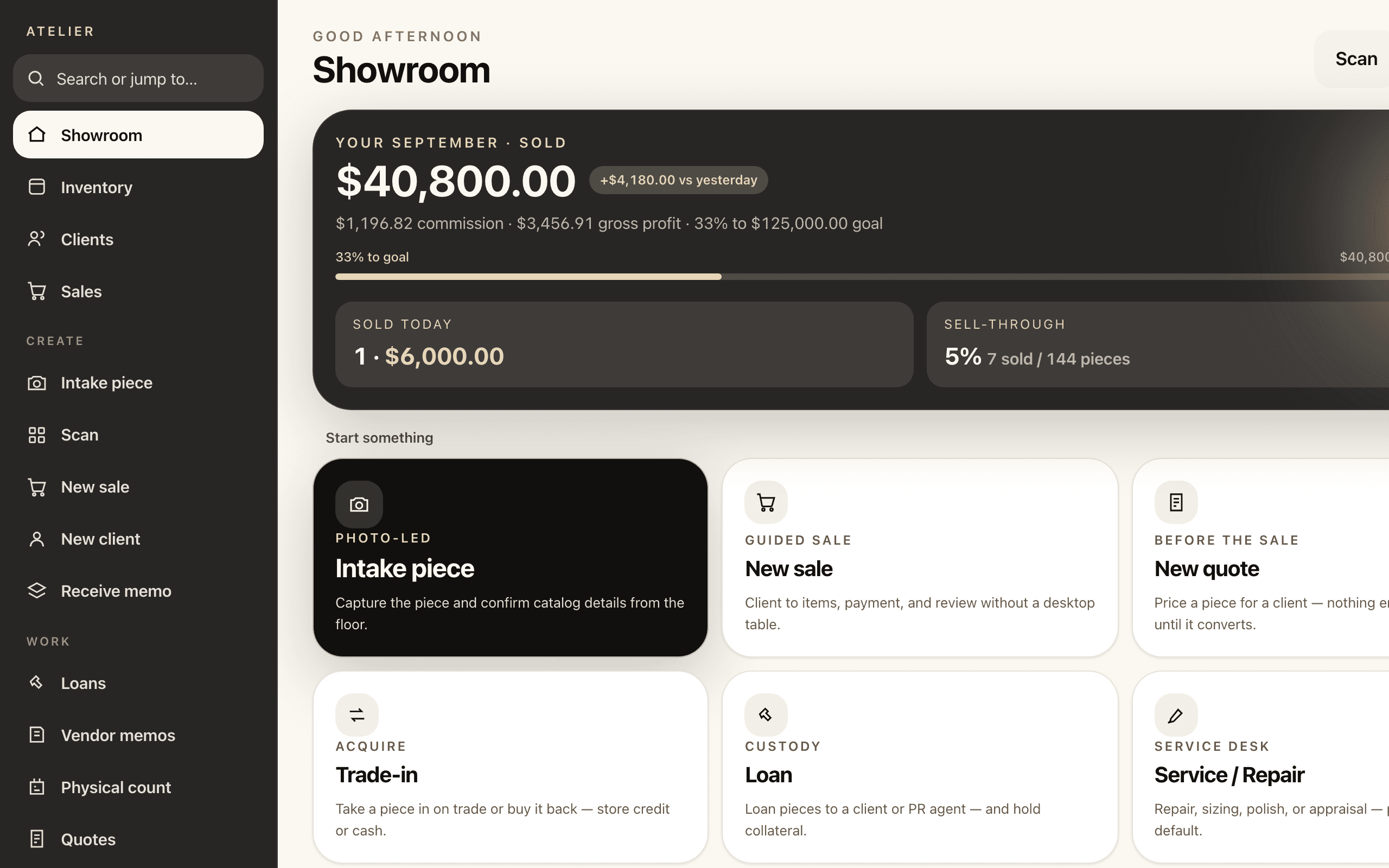
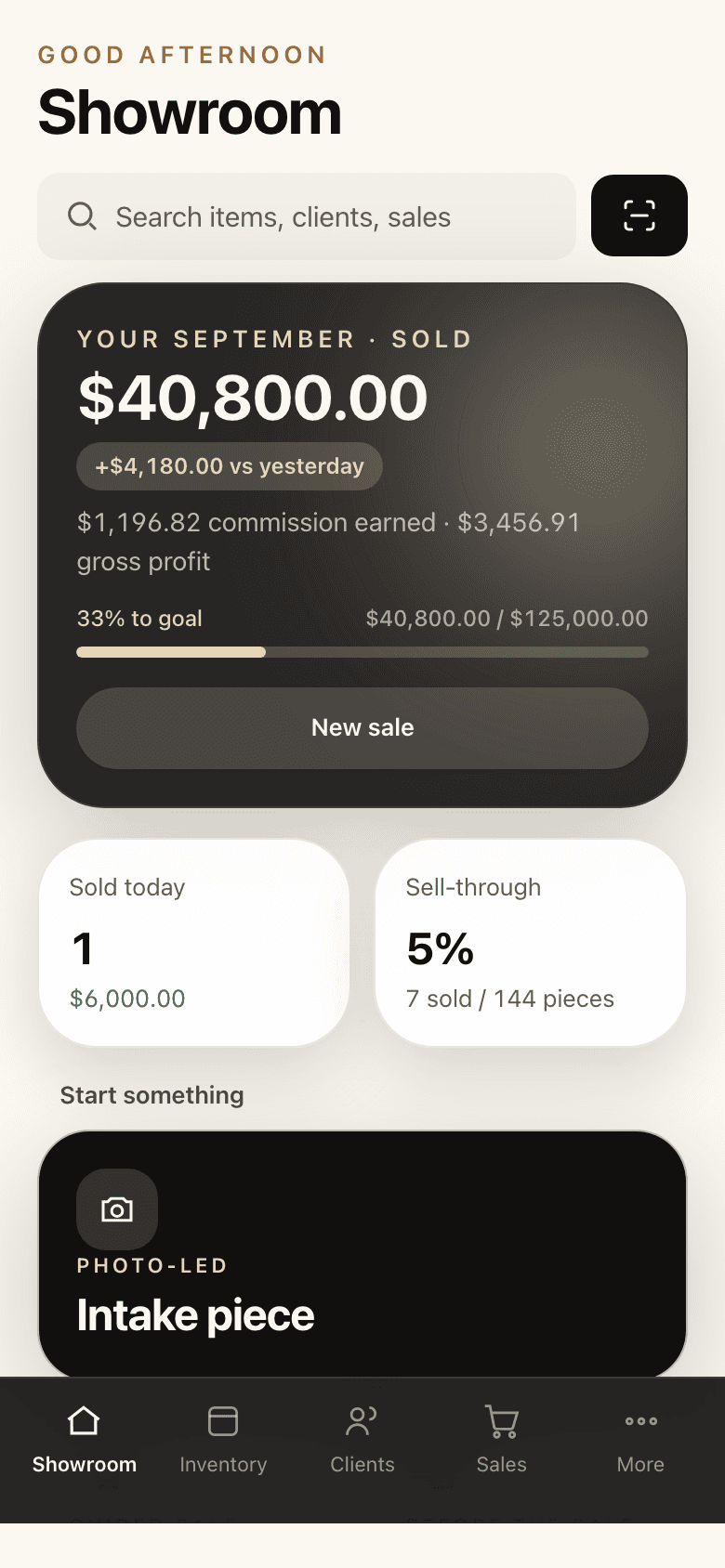
One login. The counter, the bench, and the books.
Inventory and sales, custom manufacturing, and finance share one source of truth, so a number entered once is the same number everywhere.
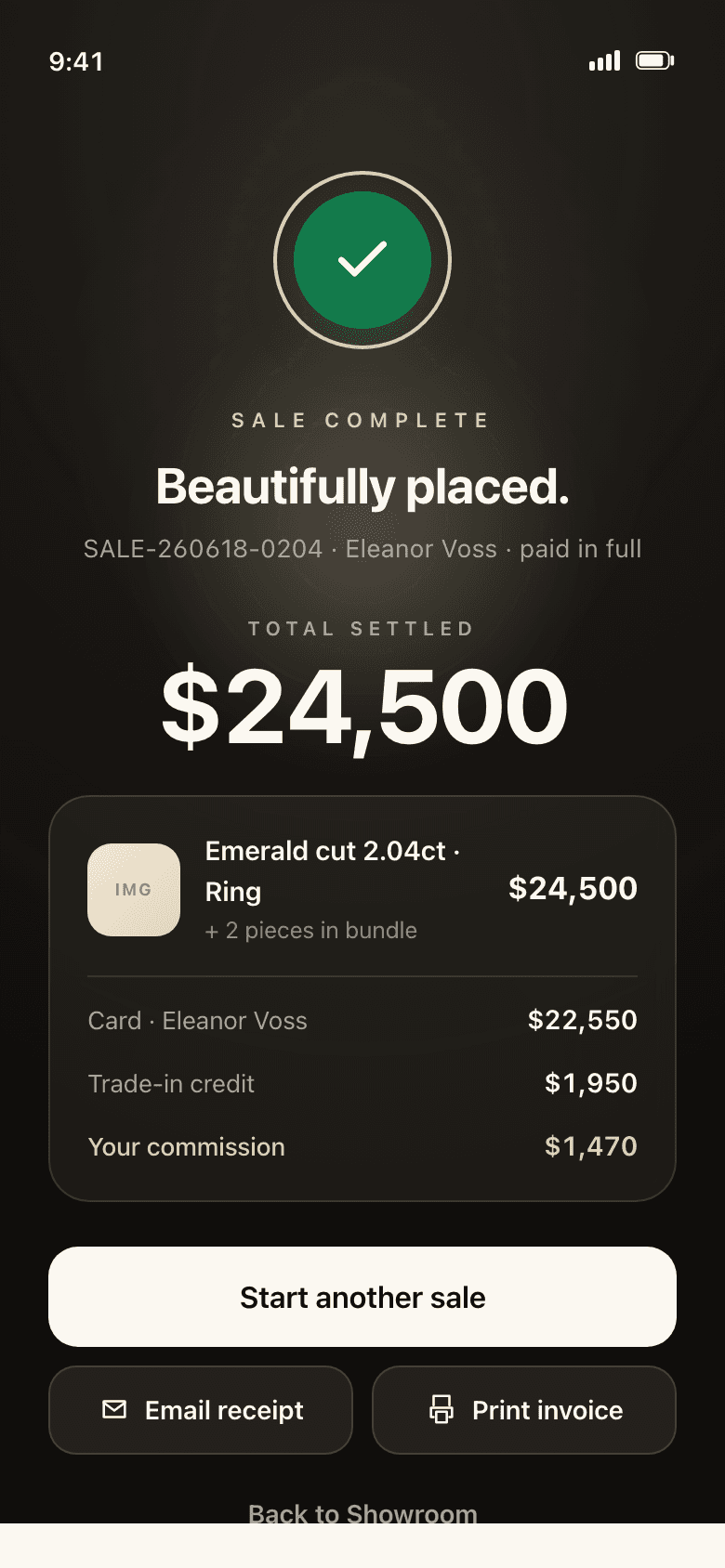
A sale just completed on a phone: the piece, the total settled, the card and trade-in split, and the commission earned.
Showroom
Scan a tag. Log the sale. Done from the phone.
Every piece is tracked by how it came in: purchase, memo, consignment, trade-in, buy-back, or custom. Scan its tag to pull it up and sell it on the spot, with bundles, deposits, and store credit handled in the same flow.
A closer look →- Commissions by lead source, paid to the right person
- Trade-ins and buy-backs that reacquire the piece in place
- Service and repair intake with custody tracked end to end
- Physical counts that reconcile the floor to the books
- Printed tags from the same screen
Workshop
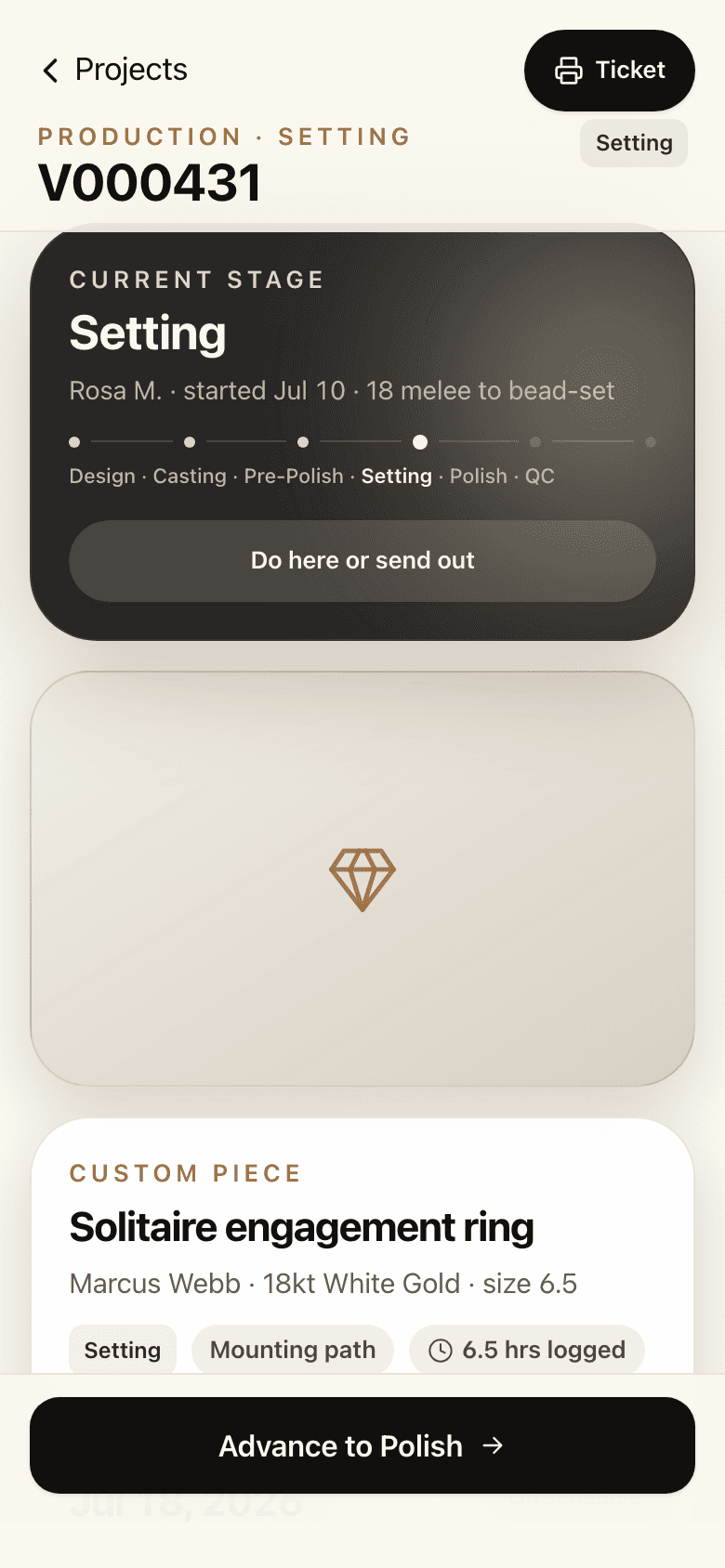
Design to casting to setting to polish, with real costs at every stage.
Each custom piece moves through the bench one stage at a time, and every stage carries what it actually cost. Stones come out of gem inventory as they are set, so the piece prices itself as it is made.
A closer look →- Gem inventory with usage recorded per piece
- Casting and component invoices tied to the job
- Customer deposit rules built into the order
- QC final photos before a piece leaves the bench
- Rework that re-prices at its own markup
Treasury
The same numbers in every app.
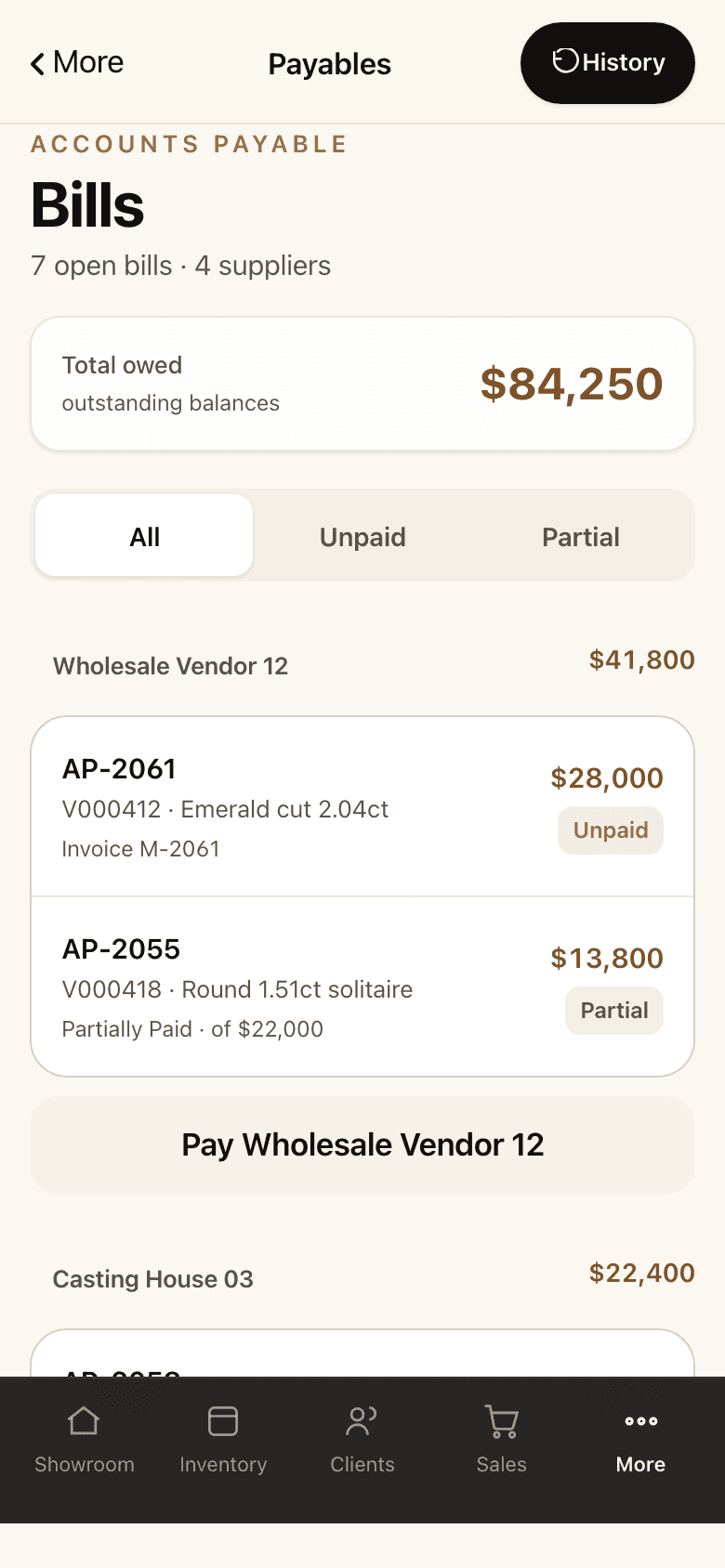
Supplier payables, statements, remittances, and commissions come straight from the sales and jobs that created them. Nothing is re-entered, so cash position against vendor balance is always current.
A closer look →- Partial and lump-sum payments across many bills
- Statements and remittances you can send as they are
- Commissions settled from the sale, not a spreadsheet
- Cash position against what you owe, on one screen
A memo piece, sold on the phone.
- 1
It arrives on memo
A dealer sends a cushion halo on memo. It is logged once, tagged, and on the floor the same afternoon.
Cushion halo, 2.1 ct
MemoV000380 · On memo from Ashford & Co · due in 30 days
Retail$4,250.00 - 2
It sells at the counter
A customer says yes. Staff scan the tag, log the sale, and take the deposit from the phone in their hand.
Sale · SALE-2026-0142
Cushion halo, 2.1 ct
$4,250.00Deposit
$1,000.00
Balance due$3,250.00
Commission earned · $212.50
- 3
It is settled in Treasury
The dealer's bill is already there, with the date it is due. The commission is already earned. Nobody typed anything twice.
PaidAshford & Co
Bill from the sale · due Oct 18
Cushion halo, 2.1 ct$2,900.00

Every step is kept as it happened, so the story still holds up when a customer, a dealer, or your accountant asks about it later.
The shop already has a system. It is just spread across six places.
A stock book, a spreadsheet, and a drawer of tags
One item record, from intake to sold, with its own tag
Memo tracked on the dealer's paperwork
Memo in and memo out, with custody you can prove
Repairs on a paper envelope behind the counter
A repair job with a status the customer can be told
Custom work quoted from memory and a calculator
A quote priced from real cost, converted when it is accepted
Commission worked out at month end
Commission attached to the sale as it is written
A POS that was never built for any of this
One system that was
On the floor
The piece is in the customer's hand at the case. The sale is written there too.
Not at a back-office terminal after they have left.
Built for the bench and the counter
Not adapted from a point-of-sale system. Stock types, memo, custody, and custom work are first-class, not add-ons.
Made for the phone in your hand
Large titles, one clear action per screen, and nothing to install. It feels like the phone it runs on, not a website squeezed onto it.
A history you can trust
Every sale, memo, payment, and repair is kept as it happened. Fix a mistake and the paper trail stays whole, so a customer, a dealer, or your accountant can ask a year later.
What we do with your shop's data.
- Separated at the database
- Your shop's records are kept apart at the database itself, not just hidden in the screens.
- Staff see their own work
- What each person can open follows the role you give them, not an honour system.
- Nothing is ever deleted
- A cancellation is a reversal, so the history stays whole and a year-old question still has an answer.
- Your data stays yours
- Never sold, never shared with another shop, and exportable whenever you ask.
Independent jewelers and small custom shops.
An owner and a few staff. One store. Phones in hand and no POS hardware. If you sell from the counter and make at the bench, this was built for you.
- Owner-run retail jewelers
- Custom and bespoke shops
- Bench jewelers who also sell
- Shops that take memo and consignment
Founding shops
Founding shops get early access and founding pricing.
Join the waitlist and we'll email you when your wave opens. Tell us the shop and your role if you like; it helps us order the waves.
Questions
What does it cost?
Pricing isn't public yet. Founding shops get founding pricing, and you'll see it before you commit to anything.
When can I use it?
Early access opens in waves. Join the waitlist and we'll email you when your wave is up.
What do I need?
A phone. No scanner and no POS terminal. If you print tags, a Zebra label printer works.
Is it an app I install?
It runs in the browser on your phone. Add it to your home screen and it opens full screen like an app, with nothing to install or update.